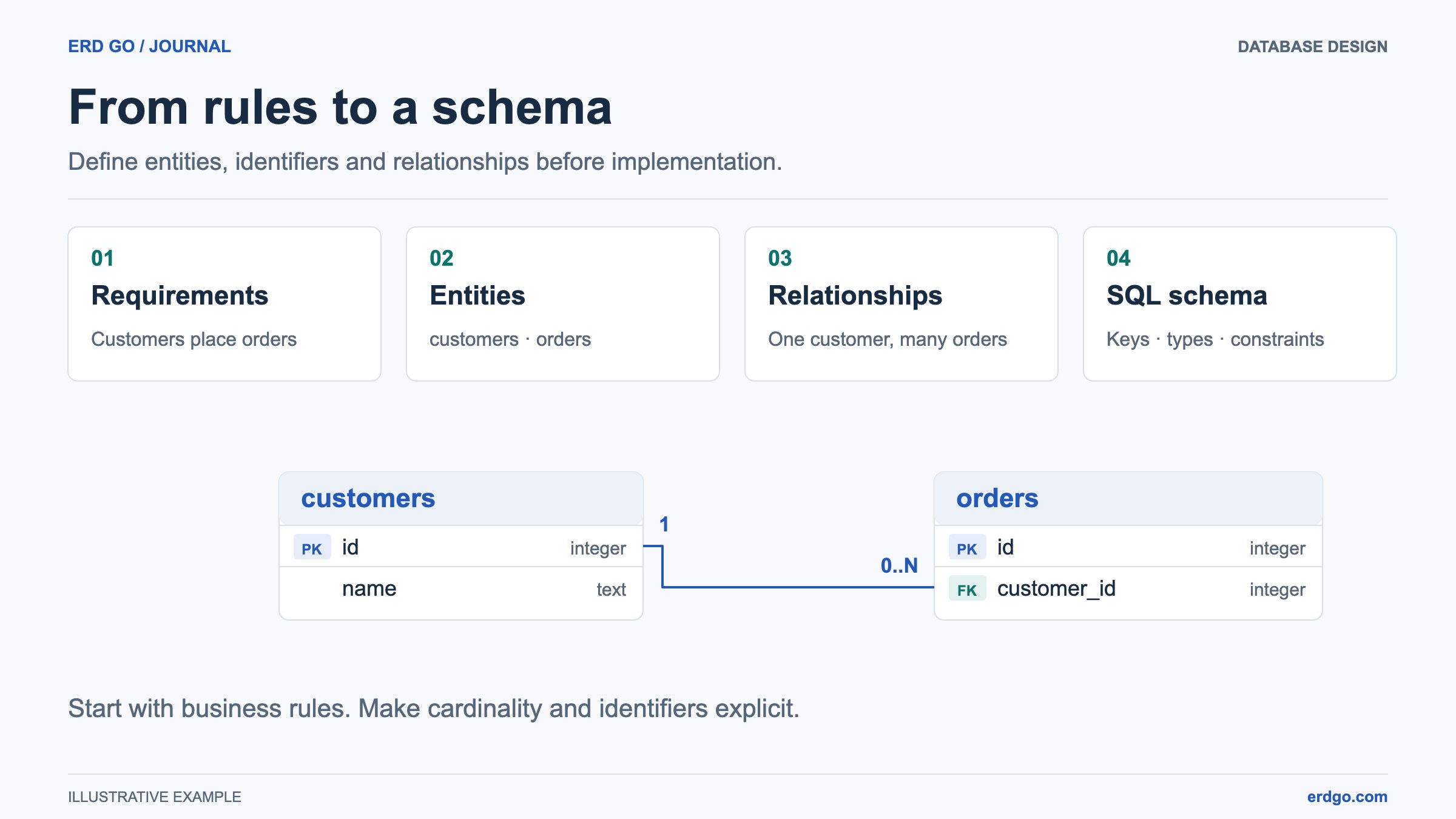
SQL examples use PostgreSQL unless another dialect is named. Short snippets assume their referenced tables already exist. Validate DDL in your target database before applying it.
Why Schema Design Matters
A well-designed database schema is the foundation of every reliable application. Get it right and queries are fast, data stays consistent, and future features slot in without painful migrations. Get it wrong and you'll fight data anomalies, sluggish performance, and endless work-arounds for the life of the project.
This guide walks through a six-step process for designing a schema from scratch — and finishes with a full real-world example you can adapt for your own projects.
Step 1 — Gather Requirements
Before opening any tool, talk to stakeholders. Understand what the application does, what data it manages, and how that data relates. Ask questions like:
- What are the main "things" the system tracks? (Users, orders, products …)
- Which data must be unique? (Emails, SKUs, slugs …)
- What queries will the application run most often?
- Are there regulatory constraints? (GDPR, HIPAA …)
- What is the expected data volume over the next 1–3 years?
Write the answers down — they become your specification and will guide every decision that follows.
Step 2 — Identify Entities
An entity is anything the system needs to store data about. Each entity typically maps to one database table. For a blog platform the initial entity list might look like:
- User — authors and readers
- Post — articles published on the blog
- Category — groupings for posts (e.g., "React", "SQL")
- Comment — reader responses to posts
- Tag — fine-grained labels (many-to-many with posts)
Sketch these as boxes on a whiteboard or use the ERD Builder to discuss the conceptual model before choosing column types.
Step 3 — Define Attributes & Data Types
For every entity, list the attributes it needs and choose the most appropriate SQL data type. Be as specific as possible — prefer VARCHAR(255) over TEXT when you know the maximum length, and prefer TIMESTAMPTZ over TIMESTAMP when time zones matter.
-- Users
id          SERIAL PRIMARY KEY
username    VARCHAR(50)  NOT NULL UNIQUE
email       VARCHAR(255) NOT NULL UNIQUE
password_hash TEXT      NOT NULL          -- store a password hash, never plaintext
bio         TEXT
avatar_url  VARCHAR(500)
created_at  TIMESTAMPTZ  DEFAULT now()

-- Posts
id          SERIAL PRIMARY KEY
author_id   INT          NOT NULL          -- FK → users.id
category_id INT                            -- FK → categories.id
title       VARCHAR(200) NOT NULL
slug        VARCHAR(220) NOT NULL UNIQUE
body        TEXT         NOT NULL
status      VARCHAR(20)  DEFAULT 'draft'   -- draft | published | archived
published_at TIMESTAMPTZ
created_at  TIMESTAMPTZ  DEFAULT now()
updated_at  TIMESTAMPTZ  DEFAULT now()
Step 4 — Establish Relationships
Determine how entities relate to each other. The three fundamental types are:
- One-to-Many (1:N) — A user has many posts; a post belongs to one user.
- Many-to-Many (M:N) — A post can have many tags; a tag can belong to many posts. This requires a junction table.
- One-to-One (1:1) — A user has one profile. Often merged into a single table unless the profile data is large or rarely accessed.
-- Junction table for the posts ↔ tags many-to-many relationship
CREATE TABLE post_tags (
    post_id INT NOT NULL REFERENCES posts (id) ON DELETE CASCADE,
    tag_id  INT NOT NULL REFERENCES tags  (id) ON DELETE CASCADE,
    PRIMARY KEY (post_id, tag_id)
);
Step 5 — Apply Constraints & Indexes
Constraints protect data quality. At a minimum you should consider:
NOT NULLon every column that must have a value.UNIQUEon natural identifiers (emails, slugs, usernames).CHECKconstraints for domain rules (e.g., status must be one of three values).DEFAULTvalues for timestamps and status columns.- Foreign keys with explicit
ON DELETEactions.
Then add indexes on columns you'll frequently filter, sort, or join on. Foreign-key columns are prime candidates.
-- Index foreign-key columns for faster joins
CREATE INDEX idx_posts_author   ON posts (author_id);
CREATE INDEX idx_posts_category ON posts (category_id);
CREATE INDEX idx_comments_post  ON comments (post_id);

-- Partial index: only published posts (PostgreSQL)
CREATE INDEX idx_posts_published
    ON posts (published_at DESC)
    WHERE status = 'published';
Step 6 — Normalize (Then Denormalize Where Needed)
Normalization eliminates redundant data by organising columns and tables according to a set of "normal forms." Most schemas should reach Third Normal Form (3NF):
- 1NF — every column holds atomic values; no repeating groups.
- 2NF — no non-prime attribute depends on only part of a candidate key.
- 3NF — each nontrivial dependency has a superkey determinant or a dependent attribute that belongs to a candidate key.
After normalizing, you may selectively denormalize for performance — for example, storing a comment_count on the posts table to avoid a costly COUNT(*) on every page load. Denormalize deliberately and document it.
Complete Blog-Platform Schema
-- Full SQL for the blog platform schema

CREATE TABLE users (
    id          SERIAL       PRIMARY KEY,
    username    VARCHAR(50)  NOT NULL UNIQUE,
    email       VARCHAR(255) NOT NULL UNIQUE,
    password_hash TEXT      NOT NULL,
    bio         TEXT,
    avatar_url  VARCHAR(500),
    created_at  TIMESTAMPTZ  DEFAULT now()
);

CREATE TABLE categories (
    id   SERIAL       PRIMARY KEY,
    name VARCHAR(100) NOT NULL UNIQUE,
    slug VARCHAR(110) NOT NULL UNIQUE
);

CREATE TABLE posts (
    id           SERIAL       PRIMARY KEY,
    author_id    INT          NOT NULL REFERENCES users (id),
    category_id  INT          REFERENCES categories (id) ON DELETE SET NULL,
    title        VARCHAR(200) NOT NULL,
    slug         VARCHAR(220) NOT NULL UNIQUE,
    body         TEXT         NOT NULL,
    status       VARCHAR(20)  NOT NULL DEFAULT 'draft'
                     CHECK (status IN ('draft','published','archived')),
    published_at TIMESTAMPTZ,
    created_at   TIMESTAMPTZ  DEFAULT now(),
    updated_at   TIMESTAMPTZ  DEFAULT now()
);

CREATE TABLE tags (
    id   SERIAL       PRIMARY KEY,
    name VARCHAR(60)  NOT NULL UNIQUE
);

CREATE TABLE post_tags (
    post_id INT NOT NULL REFERENCES posts (id) ON DELETE CASCADE,
    tag_id  INT NOT NULL REFERENCES tags  (id) ON DELETE CASCADE,
    PRIMARY KEY (post_id, tag_id)
);

CREATE TABLE comments (
    id         SERIAL      PRIMARY KEY,
    post_id    INT         NOT NULL REFERENCES posts (id) ON DELETE CASCADE,
    user_id    INT         NOT NULL REFERENCES users (id),
    body       TEXT        NOT NULL,
    created_at TIMESTAMPTZ DEFAULT now()
);

-- Indexes
CREATE INDEX idx_posts_author    ON posts    (author_id);
CREATE INDEX idx_posts_category  ON posts    (category_id);
CREATE INDEX idx_comments_post   ON comments (post_id);
CREATE INDEX idx_comments_user   ON comments (user_id);
Paste the complete schema into the SQL-to-ERD editor to inspect its relationships. Use the ERD Builder for a conceptual drawing and a reviewed SQL conversion.