SQL examples use PostgreSQL unless another dialect is named. Short snippets assume their referenced tables already exist. Validate DDL in your target database before applying it.
What Are SQL Constraints?
Constraints are rules enforced by the database engine to guarantee the accuracy and reliability of data in a table. They act as guardrails — preventing invalid inserts, updates, and deletes at the database boundary. They protect the declared rules; application validation and transaction design still matter.
SQL defines several constraint types. In this guide we'll cover each one in depth, show when to use it, and highlight common pitfalls.
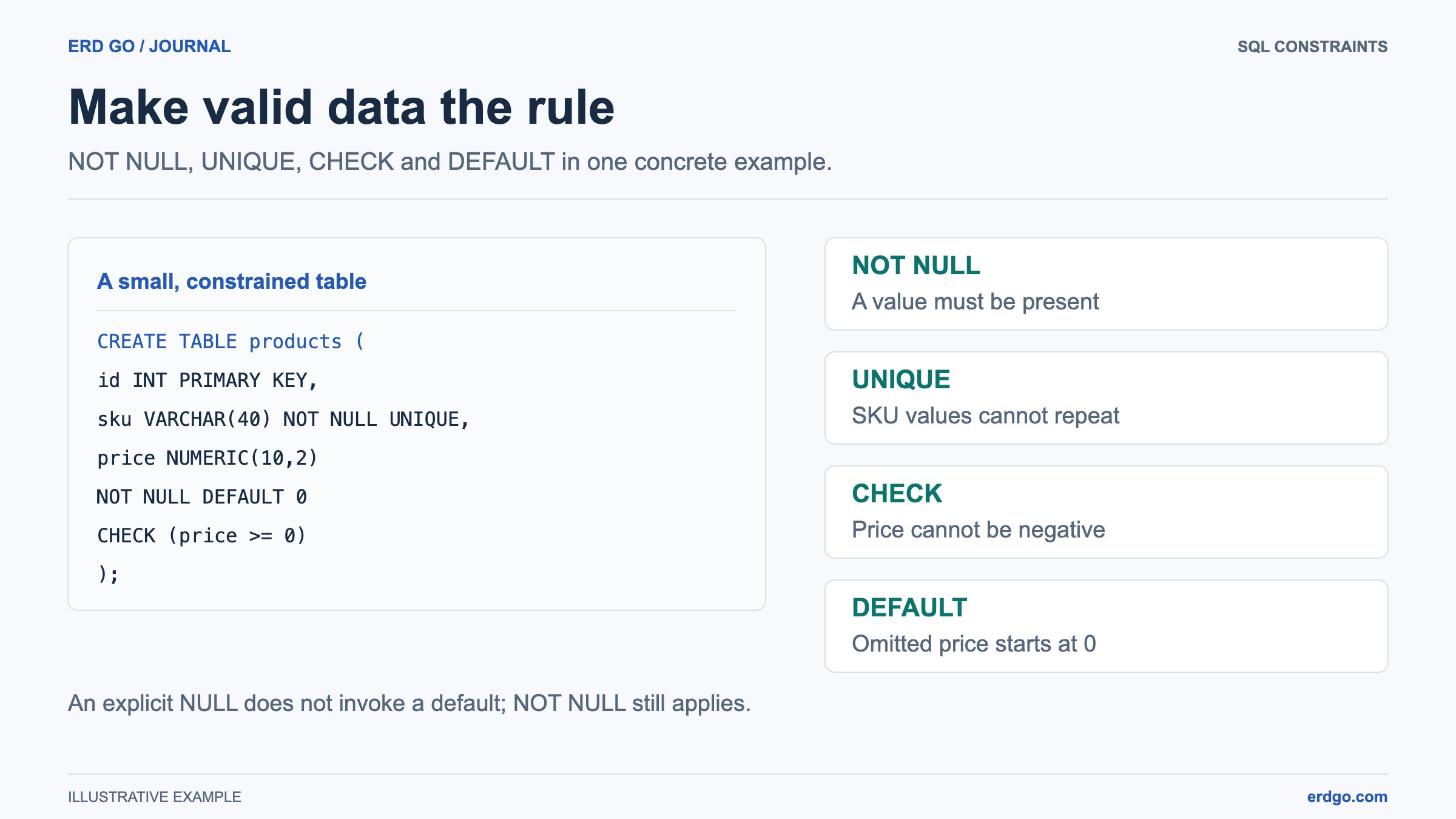
NOT NULL
The NOT NULL constraint ensures a column always has a value. Any INSERT or UPDATE that tries to set the column to NULL will be rejected. An empty string is still a value; add a CHECK when blank text is forbidden.
CREATE TABLE products (
    id    SERIAL       PRIMARY KEY,
    name  VARCHAR(150) NOT NULL,   -- every product MUST have a name
    price NUMERIC(10,2) NOT NULL   -- every product MUST have a price
);

-- This will fail:
INSERT INTO products (name, price) VALUES (NULL, 9.99);
-- ERROR: null value in column "name" violates not-null constraint
Tip: Default to NOT NULL for every column and only remove it when you have a clear business reason for allowing nulls. Nulls introduce three-valued logic into queries and are a common source of subtle bugs.
UNIQUE
A UNIQUE constraint guarantees that no two rows contain the same value in the constrained column (or combination of columns). Unlike a primary key, a UNIQUE column can contain NULL. PostgreSQL and MySQL normally allow multiple nulls in a unique column; SQL Server allows one in a single-column unique constraint. This is a uniqueness rule, not the result of evaluating NULL = NULL.
CREATE TABLE users (
    id       SERIAL       PRIMARY KEY,
    email    VARCHAR(255) NOT NULL UNIQUE,
    username VARCHAR(50)  NOT NULL UNIQUE
);

-- Multi-column unique constraint
CREATE TABLE reservations (
    id        SERIAL PRIMARY KEY,
    room_id   INT    NOT NULL,
    date      DATE   NOT NULL,
    CONSTRAINT uq_room_date UNIQUE (room_id, date)
);
The multi-column UNIQUE constraint above ensures the same room can't be booked twice on the same date.
CHECK
CHECK constraints validate that a value satisfies a Boolean expression before it is stored. They enforce row-level rules the type system alone cannot express. A CHECK accepts TRUE or UNKNOWN; combine it with NOT NULL when a value is required.
CREATE TABLE employees (
    id     SERIAL       PRIMARY KEY,
    name   VARCHAR(100) NOT NULL,
    age    INT          NOT NULL CHECK (age >= 18 AND age <= 120),
    salary NUMERIC(12,2) NOT NULL CHECK (salary > 0)
);

-- Named CHECK constraint with multiple columns
CREATE TABLE events (
    id         SERIAL      PRIMARY KEY,
    start_date DATE        NOT NULL,
    end_date   DATE        NOT NULL,
    CONSTRAINT chk_dates CHECK (end_date >= start_date)
);
Gotcha: In MySQL versions before 8.0.16,CHECK constraints are parsed but silently ignored. Always verify that your database version actually enforces them.
DEFAULT
The DEFAULT supplies a value when a column is omitted from an INSERT or DEFAULT is requested explicitly. An explicit NULL does not invoke the default. Defaults reduce boilerplate in application code and make schemas self-documenting.
CREATE TABLE orders (
    id         SERIAL       PRIMARY KEY,
    status     VARCHAR(20)  NOT NULL DEFAULT 'pending',
    created_at TIMESTAMPTZ  NOT NULL DEFAULT now(),
    quantity   INT          NOT NULL DEFAULT 1
);

-- Inserting without specifying status, created_at, or quantity
INSERT INTO orders DEFAULT VALUES;
-- Result: status='pending', created_at=<current time>, quantity=1
DEFAULT with Expressions
PostgreSQL and SQL Server allow expressions and function calls in defaults. MySQL supports this since version 8.0.13 for some types.
-- PostgreSQL: UUID default
CREATE TABLE tokens (
    id    UUID DEFAULT gen_random_uuid() PRIMARY KEY,
    value TEXT NOT NULL
);
PRIMARY KEY & FOREIGN KEY Constraints
These are the most structural constraints in relational databases. A PRIMARY KEY uniquely identifies each row and implicitly adds NOT NULL + UNIQUE. A FOREIGN KEY links one table to another and enforces referential integrity.
CREATE TABLE departments (
    id   SERIAL      PRIMARY KEY,
    name VARCHAR(80) NOT NULL UNIQUE
);

CREATE TABLE employees (
    id            SERIAL      PRIMARY KEY,
    name          VARCHAR(100) NOT NULL,
    department_id INT          NOT NULL,
    CONSTRAINT fk_emp_dept
        FOREIGN KEY (department_id)
        REFERENCES departments (id)
        ON DELETE RESTRICT
        ON UPDATE CASCADE
);
See our in-depth guide on Primary Keys vs Foreign Keys for cascading actions, composite keys, and best practices. You can also model these relationships visually in the Erd Go editor.
Column-Level vs Table-Level Constraints
Constraints can be defined inline (column-level) or as a separate clause after all columns (table-level). The result is identical — but table-level is required when the constraint spans multiple columns.
-- Column-level (single column)
CREATE TABLE items (
    id    SERIAL PRIMARY KEY,
    code  VARCHAR(20) NOT NULL UNIQUE,
    price NUMERIC(10,2) NOT NULL CHECK (price >= 0)
);

-- Table-level (multi-column constraint)
CREATE TABLE shipments (
    id          SERIAL PRIMARY KEY,
    origin      VARCHAR(3) NOT NULL,
    destination VARCHAR(3) NOT NULL,
    CONSTRAINT chk_different_locations CHECK (origin <> destination),
    CONSTRAINT uq_route UNIQUE (origin, destination)
);
Named Constraints & Why They Matter
Always name your constraints explicitly using the CONSTRAINT keyword. When a constraint is violated the database returns the constraint name in the error message — a meaningful name like chk_positive_salary is infinitely more helpful than an auto-generated hash.
-- Good: named constraint
ALTER TABLE products
    ADD CONSTRAINT chk_positive_price CHECK (price > 0);

-- You can also drop a constraint by name
ALTER TABLE products
    DROP CONSTRAINT chk_positive_price;
A consistent naming convention makes migrations, debugging, and team onboarding much smoother. A common pattern is:
pk_<table>— primary keysfk_<table>_<column>— foreign keysuq_<table>_<column(s)>— unique constraintschk_<table>_<rule>— check constraints
Combining Constraints & Common Patterns
In practice, columns carry several constraints at once. Here are patterns you'll use again and again:
CREATE TABLE accounts (
    id         SERIAL       PRIMARY KEY,
    email      VARCHAR(255) NOT NULL,
    role       VARCHAR(20)  NOT NULL DEFAULT 'user'
                   CHECK (role IN ('user', 'admin', 'moderator')),
    balance    NUMERIC(12,2) NOT NULL DEFAULT 0.00
                   CHECK (balance >= 0),
    is_active  BOOLEAN      NOT NULL DEFAULT TRUE,
    created_at TIMESTAMPTZ  NOT NULL DEFAULT now(),
    deleted_at TIMESTAMPTZ           -- nullable: NULL means "not deleted"
);
Soft-Delete Pattern
The deleted_at column above implements a soft delete. Instead of removing rows, you set deleted_at = now(). Pair this with a partial unique index to prevent "active" duplicates while still allowing deleted rows with the same email. The table deliberately has no global UNIQUE constraint on email; keeping one would also reject duplicates among deleted rows:
-- PostgreSQL: unique email only among active accounts
CREATE UNIQUE INDEX uq_accounts_active_email
    ON accounts (email)
    WHERE deleted_at IS NULL;
Common Gotchas
- NULL and UNIQUE: Most databases allow multiple
NULLvalues in aUNIQUEcolumn becauseNULLis not equal to anything — including itself. SQL Server is the exception and treatsNULLas a duplicate by default; use a filtered index to work around this. - CHECK in older MySQL: As noted above, MySQL before 8.0.16 parses but ignores
CHECKconstraints. Validate your MySQL version or enforce rules in application code. - Deferred constraints: PostgreSQL supports deferred checking for foreign-key, unique, primary-key, and exclusion constraints declared
DEFERRABLE INITIALLY DEFERRED. CHECK and NOT NULL cannot be deferred. This is useful for circular references but can make debugging harder. - Performance of CHECK: Simple
CHECKconstraints have negligible overhead. Avoid embedding subqueries or function calls inCHECK— they may not even be supported and can hide slow logic. - Altering constraints on large tables: Adding a
NOT NULLconstraint in PostgreSQL can require a table scan unless an existing validated CHECK proves the column contains no nulls. On very large tables, consider adding aCHECK (column IS NOT NULL) NOT VALIDfirst, then validating it separately.
Review constraints in the SQL and diagram together in the SQL-to-ERD editor, then validate their behavior in the target database. A diagram does not enforce data integrity.