Turn SQL into an ER diagram.
Paste CREATE TABLE statements from SQLite, PostgreSQL, MySQL, or MSSQL. Erd Go maps PK, FK, IDX, and UQ constraints — arrange the diagram, then export it as PNG, SVG, or PDF.
- SQLite
- PostgreSQL
- MySQL
- MSSQL
- runs locally
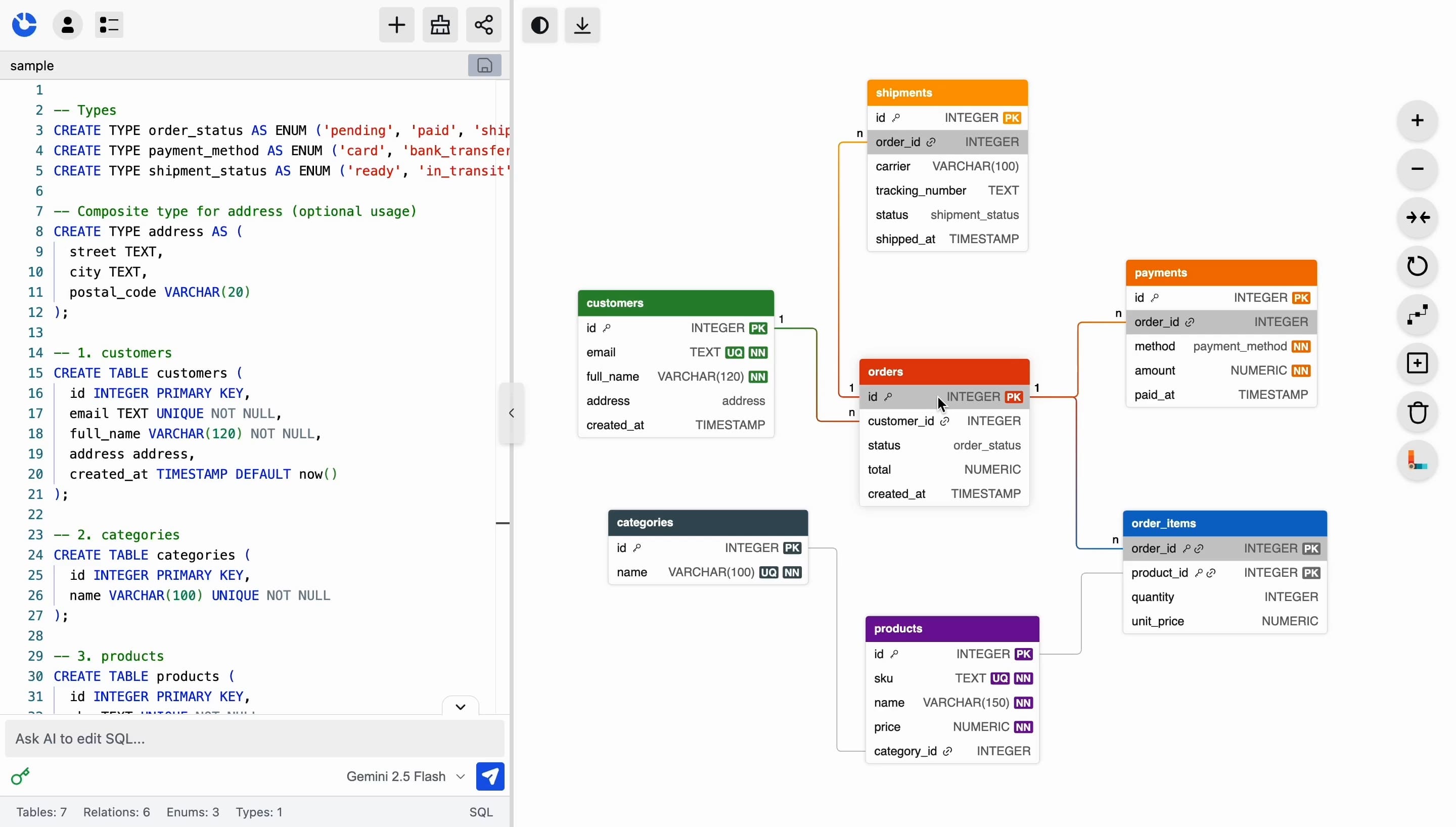
See the SQL editor in action
Watch SQL edits update the diagram in real time, then arrange the tables and export the result.
- SQL and the diagram stay in sync
- Table positions stay on this device
- Export as PNG, SVG, or PDF
Take a schema from draft to a shareable ERD
Generate the diagram, review its structure, test the schema with sample data, then export or share the result. Your SQL remains the source of truth.
- 01
Generate the diagram
Edit SQL and the diagram stays in sync with its tables, columns, keys, indexes, and declared relationships.
- 02
Review the design
Use the ERD score to find structural gaps. Review optional relationship suggestions only when you want them.
- 03
Test the model
Add sample rows in Data View, then use Query View to test joins, filters, sorting, and aggregates.
- 04
Export or share
Export as PNG, SVG, or PDF. Sign in when you want cloud saves and read-only share links.
Start from more than SQL
Model a database, design classes, or map interactions between people and systems.
ERD Builder
Model a database from scratch with Chen or EER notation and live semantic checks.
Open ERD BuilderDB Diagram
Create tables, edit columns, and connect foreign keys directly on the familiar database canvas.
Open DB DiagramClass Diagram
Design classes, interfaces, members, and relationships in a separate visual workspace.
Open Class DiagramSequence Diagram
Map API calls, replies, and branches in a clear, ordered interaction diagram.
Open Sequence DiagramPrisma to ERD
Visualize schema.prisma with models, relations, and mapped names. Understand syntax and fix diagnostics.
Open Prisma to ERDSpreadsheet to SQL
Convert Excel and delimited files into SQL. Review inferred types, choose a dialect, and export your rows.
Open Spreadsheet to SQL
Explore the ERD Go source.
The local-first SQL-to-ERD editor is available on GitHub under the MIT License. Read the code, run it locally, report issues, or contribute an improvement.
- MIT licensed
- Local-first
- Built with React
Build your ERD from SQL.
Open a blank editor or explore the sample schema. No account required.